Read more ->


 8 Min
8 Min
The auth code plays a central role when changing domain providers. This article looks at what exactly it is, where you can find it and what to do if you don't have one.

An auth code is the password your registrar gives you so you can move your domain to another registrar. Every transfer between registrars needs one.
The code proves the transfer request comes from someone entitled to make it, but it doesn’t identify you, the person requesting the transfer. It just confirms that whoever submitted the request has the code. So give the code the care you’d give a password: generate it when you need it, send it over a channel you trust.
This article covers what the code does, how the rules differ between gTLDs and ccTLDs, why a transfer might fail, and how to handle codes across a domain portfolio.
The code authorises one action: moving a domain from one registrar to another. Once you unlock the domain from Transfer or Registry Lock, you submit the auth code to start the transfer.
The format is set by each registry. Auth codes mix letters, numbers and symbols, and lengths differ. Some registries restrict the character set: DENIC runs 8 to 16 characters for .de and excludes capital and lowercase L, capital and lowercase O, and the digits that resemble them, so nobody loses a transfer to a misread character.
| Extension | Credential | Validity | Worth knowing |
|---|---|---|---|
| All gTLDs (.com, .net, .org, .info, .shop, .app and the rest) | Auth code / TAC from the registrar on request | 14-day default under the TAC model, longer where a registrar still runs the older model | The ICANN's Transfer Policy apply to this group only |
| .de | AuthInfo1 from the administering registrar; AuthInfo2 posted by DENIC | Max 30 days, then deleted automatically | AuthInfo2 reaches the domain holder by post without the provider's involvement, and carries a fee |
| .eu | Auth code, 16 characters as XXXX-AAAA-BBBB-CCCC | 40 days or until used | Available from the registrar, from the registrant via My .eu, or from EURid as an emergency route |
| .uk | None. Transfer happens by changing the IPS tag | Not applicable | The losing registrar changes the tag to the gaining registrar's |
| .it | AuthInfo, assigned at registration | Confirm with the registry | The AuthInfo is needed for every operation on the domain, not only transfers. The registry will supply it if the registrar won't. |
| .at | Authinfo | Confirm with the registry | The registrar must disclose it even with invoices outstanding, and a new one should be set after every transfer, since the old one otherwise stays valid |
| .es | AuthCode, 6 to 16 alphanumeric characters | 10 days or until used | The shortest window in common use, and the administrative contact still has to approve the transfer separately |
| .fr | Auth code via AFNIC, shorter than a typical gTLD code | Confirm with the registry | |
| .cn | Auth code set by the sponsoring registrar | Confirm with the registry | Real-name verification of the registrant is a registry requirement, so expect documentation alongside the code |
You’ll meet this credential to transfer domains under different labels: auth code, AuthInfo code, Auth-Info, EPP code, EPP key, transfer code, domain transfer password, domain authorization code. Different wording, same thing.
The term EPP code comes from the protocol used by registrars to talk to registries: the Extensible Provisioning Protocol (EPP). The field that carries the transfer credential is the “authInfo”. From this field comes the wording “AuthInfo code”.
ICANN’s own FAQs for registrants use the spelling Auth-Code. The term to use from here on, though, is Transfer Authorization Code (TAC). The Transfer Policy Review working group agreed on this term, and the community approved that alongside the rest of the domain transfer reform at ICANN82 in March 2025. When a registrar interface says “Request TAC”, you now know they mean the auth code.
If you want to transfer your domain from one registrar to another, this is how the auth code fits into the process.
The domain transfer moves your registrar of record, while your DNS records stay as they are configured. If your zone is hosted at the registrar you’re leaving, resolution can break during the move and take your website and email down. A solution is to replicate the zone at the destination, or on nameservers independent of both registrars, before you start. Keeping DNS records on a provider-independent platform removes the problem altogether, which is one of the arguments you can find our full guide to domain management.
For years, the auth code was created once, when the domain was registered, and stayed the same throughout the domain lifecycle. The registrar issued it and the registry filed an encrypted copy. RFC 9154, published by the IETF in December 2021, sets out an alternative procedure: codes should be strong and random, should live for a short time, should never be retained by the registrar, and should sit at the registry only as a cryptographic hash. ICANN’s current reform follows that model, which is why codes are becoming shorter-lived and harder to find lying around.
As of September 2026, two versions of the rules are in play, so it’s worth knowing which one your registrar operates.
The policy ICANN lists as operative is the Transfer Policy updated on 21 February 2024, which contracted parties had to implement by 21 August 2025. The Transfer Policy Review ran as a GNSO policy development process from 2021, and the community approved its 47 recommendations at ICANN82 in March 2025. The reform brings four major changes:
This new policy makes transfers simpler and domain portfolio consolidation less painful.
To get the auth code for your domain you either go to the control panel of your registrar or request it through a support ticket. Unlock the domain first. Otherwise the system may not show you the code.
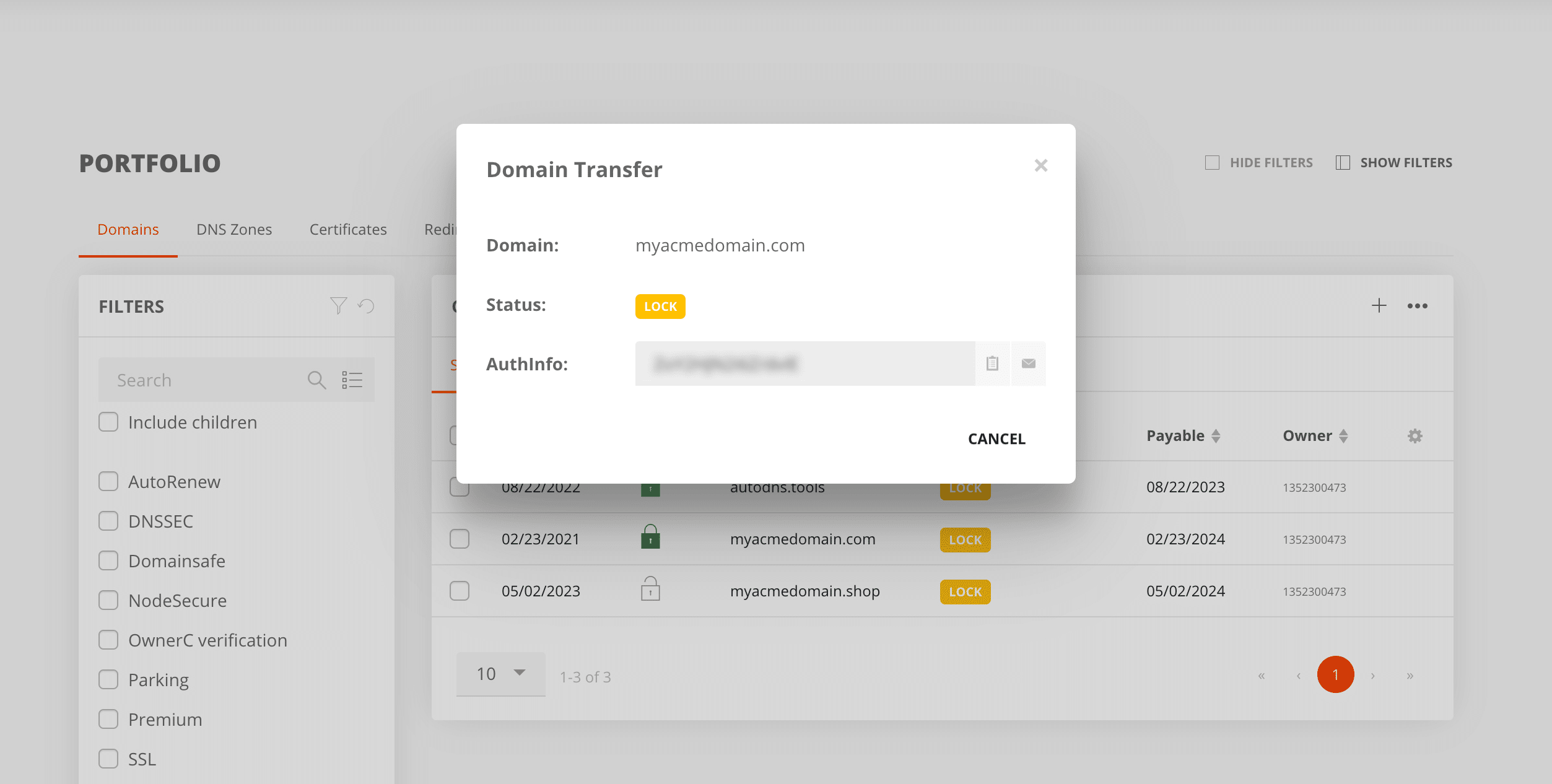
The registrar is obliged to provide you with the auth code, and not doing so breaches ICANN’s Transfer Policy. If you have requested it in writing, citing the five-calendar-day obligation, and still get no answer, file a transfer complaint through ICANN Contractual Compliance. ICANN will step in when a registrar is unresponsive. Remember ICANN’s escalation route covers gTLDs only.
If you need an auth code for your domain under a ccTLD, some national registries offer a fallback. For example, you can ask DENIC for an AuthInfo2 instead for your .de domain. DENIC generates the code itself and sends it by letter to the domain holder’s address held in the registry, anywhere in the world. EURid issues an emergency code for .eu once you prove you hold the domain. nic.at can supply a confirmation token for .at, emailed to the domain holder.
Work with auth codes as you would with business-critical passwords: restrict who can generate them, send them over channels you trust, and log what happened.
AutoDNS handles code generation, bulk retrieval and a logged trail of every change on EU-based infrastructure. Have a look, or talk to an InterNetX partner manager about consolidating your domain portfolio.
Manage your domains with AutoDNS

An auth code is the password your registrar issues so you can move your domain to another registrar. It confirms the transfer request comes from someone entitled to make it. ICANN also calls it an Auth-Code, and you’ll see it as an AuthInfo code, an EPP code, a transfer code or a TAC depending on the provider.
Usually in your registrar’s control panel, behind a control labelled “Get EPP code”, “Transfer out”, “AuthInfo” or “Request TAC”. Unlock the domain first. If the code isn’t exposed in the panel, request it from support.
It depends on the extension and on your registrar. The default for gTLDs under ICANN’s reformed policy is 14 days. A .de code lasts up to 30 days, a .eu code 40 days or until used, and a .es code only 10 days. Request the code close to when you’ll use it.
Five calendar days from your request under the current Transfer Policy, restated as 120 hours in the reformed version. If the code isn’t in your control panel, request it from support in writing and hold them to that window.
No. Withholding a valid code from the domain holder breaches the registrar’s obligations under ICANN’s Transfer Policy, and the policy specifically bars refusing over a payment dispute. Document the request with dates, follow up once the window closes, and file a transfer complaint with ICANN Contractual Compliance.
No. Every gTLD does, and most ccTLDs do with their own formats and validity windows. For example, .uk domains transfer by a change of IPS tag rather than a code, and some extensions use a document-based process instead.
Not if you prepare DNS first. The transfer changes your registrar of record and leaves your records as configured, but a zone hosted at the registrar you’re leaving needs replicating at the destination, or on independent nameservers, before the move.
Both apply to .de. AuthInfo1 is the standard code, set by the registrar administering the domain, valid for up to 30 days and free. AuthInfo2 is created by DENIC and posted to the domain holder at the address in the registry data, which makes it usable when the provider is unreachable or insolvent. It carries a fee and also lasts a maximum of 30 days. DENIC’s provider transfer page has the current fee and process.
The community approved the recommendations at ICANN82 in March 2025, and registrars are implementing them individually, so as of September 2026 some already run the TAC model while others still offer the older always-available code. Check ICANN’s policy pages and your own registrars.